55. Workspace introduction
A workspace is a persistent, shared view for analyzing test suite results within a project. Use it to track run issues and coverage metrics across multiple test suite executions over time. Share the workspace with your team to collaborate on V&V analysis, and present it to stakeholders as the authoritative view of verification progress.
55.1 View a workspace
A workspace shows the overall coverage grade (VGrade) for the test suite, the number of runs executed and so on.
Click the icon in the left menu to access the section.
-
Triage

In the Triage view, you cluster, analyze, and manage test suite run results. For more information, go to Triaging test suite results.
-
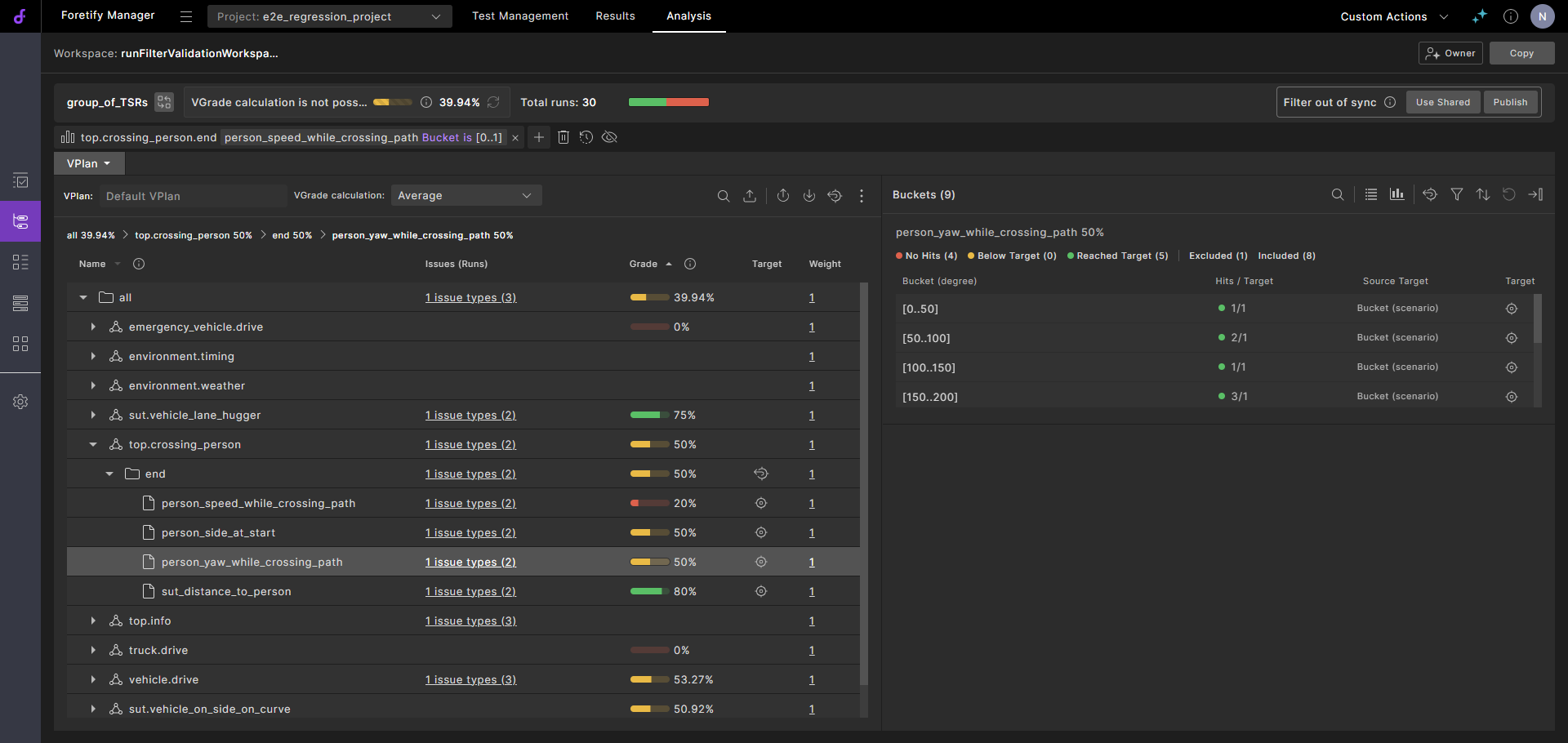
VPlan

The VPlan section displays the coverage and performance metrics captured in the selected test suite results. For detailed information, go to Working with VPlans.
-
Runs

The Runs section is the same as the Runs window and lets you analyze run issues that relate to the selected test suite results.
-
Workspace Test Suite Results

The Test Suite Results section displays the test suites that have been added to the workspace.
-
The Comparison tab, initially empty, compares the results of two selected test suites.
To create a workspace, you specify a capture rule, which lets you match test suites that are then added to your workspace. Once you set up a capture rule, every test suite result that is uploaded to the project is matched against the rule. A test suite is automatically added to the workspace if there is a match. There is no limit to the number of test suite results you can add to a workspace.
By default, when you create a workspace, all users in the workspace's project have Viewer access to the workspace. You can update workspace permissions to provide varying levels of access to users and groups.
Users with access to the workspace share the following:
- The workspace
- The workspace's capture rule
- Annotation results
- Triage decisions
- VPlan settings
- Synchronization to requirements
The following settings are not shared:
- Run filters and filter history. However, you can create a local filter and publish it to make it available to all users of the workspace.
- Ranked runs
- Comparisons